Using your dashboard to start fundraising fast
When you register for 100K Your Way, you instantly lock some powerful fundraising tools right at your fingertips with your personal dashboard.
One of the simplest tools to use is the pre-written templates that take the guesswork out of how to approach potential sponsors for donations. In this quick explainer article, we’ll show you how to access and send these messages in just a few clicks, so you can focus on reaching your goal and making a life-changing difference for Australians with vision loss.
Step 1: Login to your dashboard
When logged into your dashboard, you will be provided with your unique URL, which you can share far and wide with your network to collect donations online.
You can access the dashboard via the ‘login’ icon on the top right corner of every page. If you are already logged in, your first name should appear alongside this icon, along with a drop-down menu.
Step 2: Choose where to share
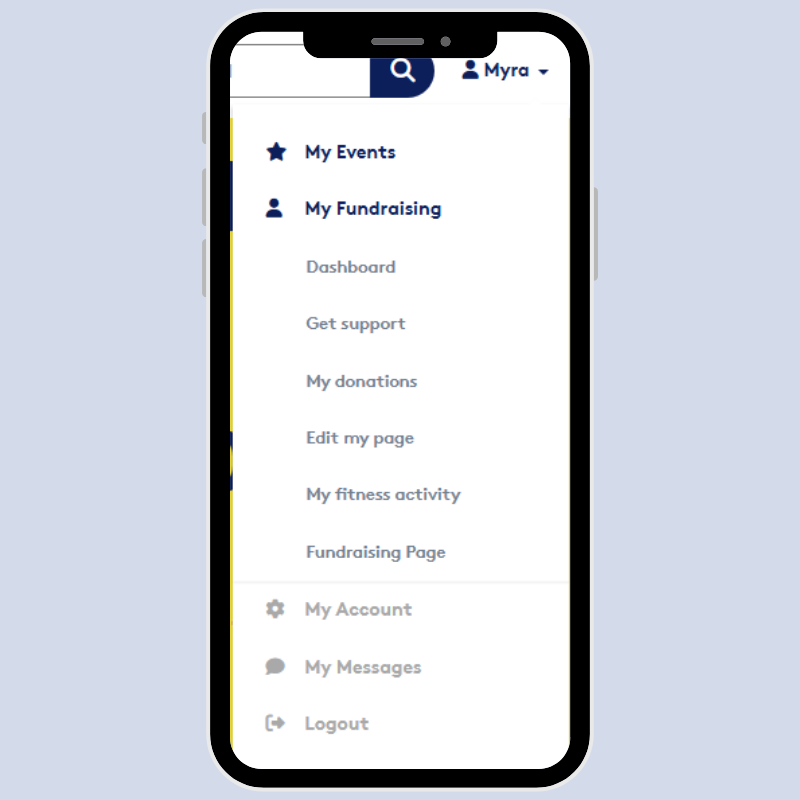
On the dashboard page, you can share your fundraising URL by clicking one of the social media icons to share. For email, you can choose the envelope icon to access pre-written templates that are simple to personalise and send. We’ll cover this in more detail in step 3.
The ‘Get Support’ page also provides buttons to share a message on Facebook, X (Twitter) or LinkedIn. A pop out window will open and ask you to log into your chosen social media account. Once logged in, copy and paste one of the below messages alongside your fundraising URL to find donors fast.
Facebook:
Can you help me go the distance for Australians with vision loss? This April I’ll be moving 100km for Vision Australia’s 100K Your Way and need your support! Every dollar I raise will help fund vital programs that empower people who are blind or have low vision to move beyond barriers and towards opportunity. Please head to my page and click DONATE to sponsor my journey!
X:
I’m taking on Vision Australia’s 100K Your Way and need your support! Every dollar I raise will help empower Australians with vision loss to move beyond barriers and towards opportunity. Please join me in supporting this important cause by donating to my fundraising page.
LinkedIn:
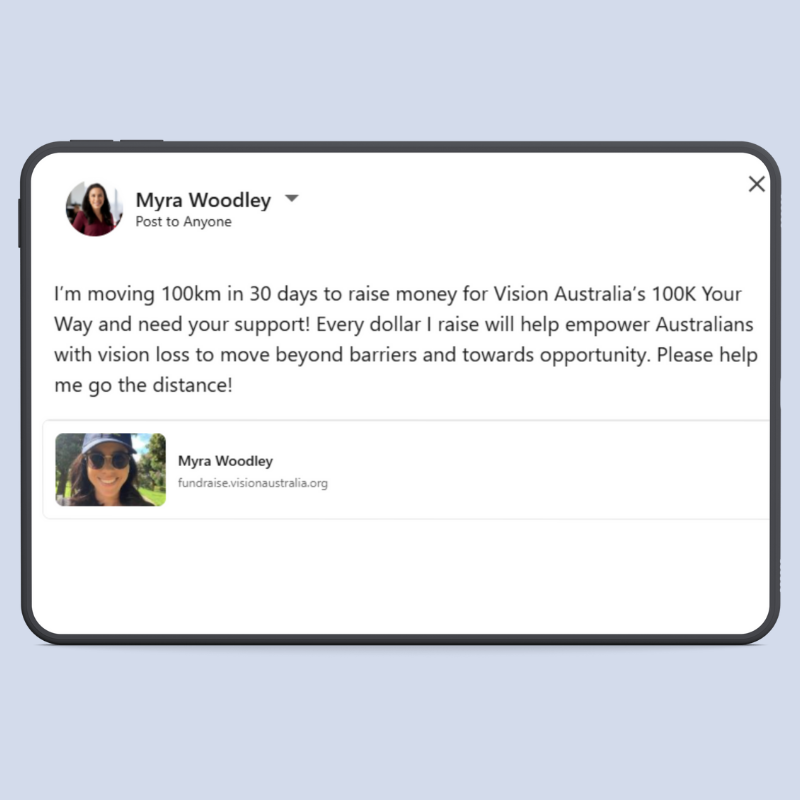
I’m moving 100km in 30 days to raise money for Vision Australia’s 100K Your Way and need your support! Every dollar I raise will help empower Australians with vision loss to move beyond barriers and towards opportunity. Please help me go the distance!
Instagram:
To share a link on Instagram, you need to create an Instagram Story with a link sticker. To break this down into simple steps, we’ve created a dedicated article for downloading images and sharing your fundraising URL on Instagram.
Step 3: Personalising email templates
The ‘Get Support’ tab in your dashboard also features pre-written emails that can be personalised and sent to potential supporters:
- Select a template
Using the ‘Choose a pre-written email’ drop-down box, select the 'email sharing’ template.
- Enter the email addresses
In the email ‘to’ field, enter the email address you wish to send to. Add a comma in between addresses if sending to a group of people. You can also select the tick box to email all supporters who have previously donated to you (a great option for thank you notes!).
- Finalise the email
Either keep the pre-written text or add a personal touch by editing the subject and message as you please.
- Send
Hit the ‘send email’ button and you are done!


